


HP DeskJet Ink Advantage 4276 All-in-One Printer (60K49C)
₦155,000.00
22 people are viewing this right now

Guaranteed safe & secure checkout
Product details
Shipping and Returns
About the brand
Reviews
Questions
Product details
Functions
Print, copy, scan, wireless, send mobile fax
Multitasking supported
No
Print speed black (ISO, A4)
Up to 8.5 ppm
Recommended monthly page volume
100 to 300 HP recommends the number of pages printed not exceed the recommended monthly page volume for optimum device performance.
Print technology
HP Thermal Inkjet
Printer drivers included
HP PCL 3 GUI
Print quality black (best)
Black: Up to 1200 x 1200 rendered dpi Color: Up to 4800 x 1200 optimized dpi color (when printing from a computer on selected HP photo papers and 1200 input dpi)
Display
Icon LCD display
Processor speed
1.0 GHz
Print Cartridges/Bottle, Number
2 (1 each black, tri-color)
Print languages
HP PCL 3 GUI; HP PCLm (HP Apps/UPD); URF (AirPrint)
Automatic paper sensor
No
Wireless capability
Yes, built-in Wi-Fi 802.11b/g/n, 2.4 GHz single-band only
Connectivity, standard
1 Wi-Fi 802.11b/g/n; 1 Hi-Speed USB 2.0 (device)
Minimum system requirements
Windows 10, 11, : 1 GHz 32-bit (x86) or 64-bit (x64) processor, 2 GB available hard disk space, Internet connection, Internet Explorer. macOS V10.14 Mojave, macOS 10.15 Catalina, macOS 11 Big Sur, macOS 12 Monterey, macOS 13 Ventura; 2 GB HD; Internet required
Compatible operating systems
Windows 11; Windows 10; macOS 10.14 Mojave; macOS 10.15 Catalina; macOS 11 Big Sur; macOS 12 Monterey; macOS 13 Ventura; Chrome OS; macOS 14 Sonoma macOS 14 Sonoma; Windows 11; Windows 10; macOS 10.14 Mojave; macOS 10.15 Catalina; macOS 11 Big Sur; macOS 12 Monterey; macOS 13 Ventura; Chrome OS.
Maximum Memory
64 MB DDR1; 24 MB Flash
Paper handling input, standard
60-sheet input tray
Paper handling input, optional
Not Applicable
Paper handling output, standard
25-sheet output tray
Paper handling output, optional
Not Applicable
Duplex printing
Manual (driver support provided)
Media types
Plain paper, photo paper, brochure paper, envelopes and other specialty inkjet papers
Borderless printing
No
Scanner type
Flatbed, ADF
Scan file format
JPEG, TIFF, PDF, BMP, PNG
Scan resolution, optical
Up to 1200 dpi
Bit depth
24-bit
Automatic document feeder capacity
Standard, 35 sheets
Digital sending standard features
No
Scan input modes
HP app, Webscan
Copy resolution (black text)
Up to 300 x 300 dpi
Copy resolution (color text and graphics)
Up to 300 x 300 dpi
Copy reduce / enlarge settings
Via HP app
Copies, maximum
Up to 9 copies
Power
Input voltage: 100 to 240 VAC (+/- 10%), 50/60 Hz (+/- 3 Hz), 350 mA. India input voltage: 200 to 240 VAC (+/- 10%), 50/60 Hz (+/- 3 Hz), 350 mA.
Power consumption
2.8 W (ready), 1.53 W (sleep), 0.3 W (auto-off), 0.3 W (off). [2] Power requirements and consumption are based on the country/region where the printer is sold. Do not convert operating voltages. This will damage the printer and void the product warranty.
Sustainable impact specifications
60% post-consumer recycled plastic
Quantity per pallet
50
Count of layers in pallet
5
What’s in the box
HP DeskJet IA 4276 All-in-One Printer; HP 653 Setup Black Cartridge; HP 653 Setup Tri-Color Cartridge; Regulatory flyer; Setup guide; Reference guide; Power cord [For ink volume and page yield information, visit http://hp.com/go/learnaboutsupplies]
Cable included
No, please purchase (USB) cable separately
Software included
HP Printer Software, available online
Manufacturer Warranty
One-year limited warranty.
Shipping and Returns
Shipping cost is based on weight. Just add products to your cart and use the Shipping Calculator to see the shipping price.
We want you to be 100% satisfied with your purchase. Items can be returned or exchanged within 30 days of delivery.
HP
There are no question found.
Quick Comparison
| HP DeskJet Ink Advantage 4276 All-in-One Printer (60K49C) remove | HP EliteBook 830 G8 Notebook PC remove | HP Color LaserJet Professional CP5225n Printer (CE711A) remove | HP DeskJet Ink Advantage 3788 All-in-one Printer remove | HP LaserJet Enterprise 700 Printer M712dn (CF236A) remove | HP LaserJet M211dw Printer remove | |||||||||||||||||||||||||||||||||||||||||||||||||||||||||||||||||||||||||||||||||||||||||||||||||||||||||||||||||||||||||||||||||||||||||||||||||||||||||||||||||||||||||||||||||||||||||
|---|---|---|---|---|---|---|---|---|---|---|---|---|---|---|---|---|---|---|---|---|---|---|---|---|---|---|---|---|---|---|---|---|---|---|---|---|---|---|---|---|---|---|---|---|---|---|---|---|---|---|---|---|---|---|---|---|---|---|---|---|---|---|---|---|---|---|---|---|---|---|---|---|---|---|---|---|---|---|---|---|---|---|---|---|---|---|---|---|---|---|---|---|---|---|---|---|---|---|---|---|---|---|---|---|---|---|---|---|---|---|---|---|---|---|---|---|---|---|---|---|---|---|---|---|---|---|---|---|---|---|---|---|---|---|---|---|---|---|---|---|---|---|---|---|---|---|---|---|---|---|---|---|---|---|---|---|---|---|---|---|---|---|---|---|---|---|---|---|---|---|---|---|---|---|---|---|---|---|---|---|---|---|---|---|---|---|---|---|---|---|
| Name | HP DeskJet Ink Advantage 4276 All-in-One Printer (60K49C) remove | HP EliteBook 830 G8 Notebook PC remove | HP Color LaserJet Professional CP5225n Printer (CE711A) remove | HP DeskJet Ink Advantage 3788 All-in-one Printer remove | HP LaserJet Enterprise 700 Printer M712dn (CF236A) remove | HP LaserJet M211dw Printer remove | ||||||||||||||||||||||||||||||||||||||||||||||||||||||||||||||||||||||||||||||||||||||||||||||||||||||||||||||||||||||||||||||||||||||||||||||||||||||||||||||||||||||||||||||||||||||||
| Image | |  | 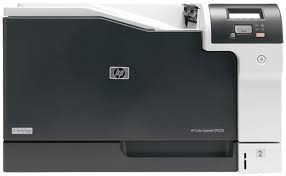 | 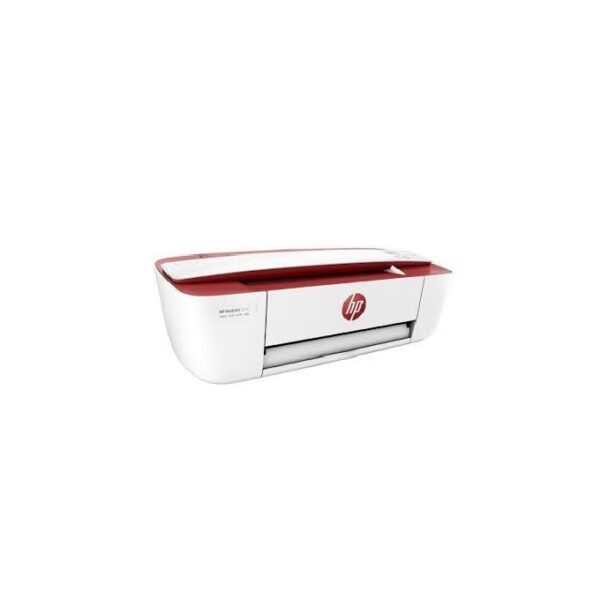 | 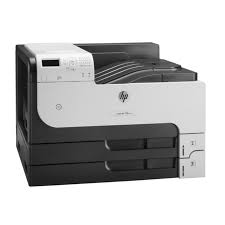 | 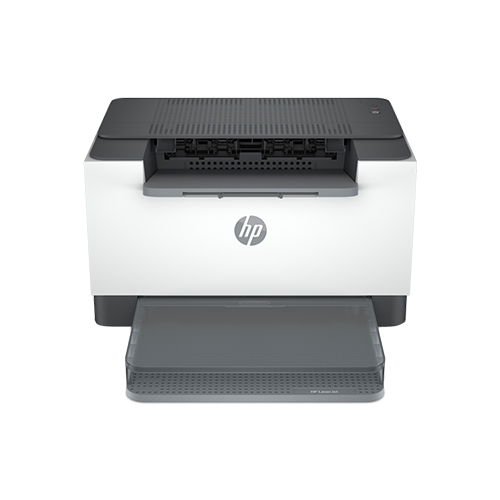 | ||||||||||||||||||||||||||||||||||||||||||||||||||||||||||||||||||||||||||||||||||||||||||||||||||||||||||||||||||||||||||||||||||||||||||||||||||||||||||||||||||||||||||||||||||||||||
| SKU | ||||||||||||||||||||||||||||||||||||||||||||||||||||||||||||||||||||||||||||||||||||||||||||||||||||||||||||||||||||||||||||||||||||||||||||||||||||||||||||||||||||||||||||||||||||||||||||||
| Rating | ||||||||||||||||||||||||||||||||||||||||||||||||||||||||||||||||||||||||||||||||||||||||||||||||||||||||||||||||||||||||||||||||||||||||||||||||||||||||||||||||||||||||||||||||||||||||||||||
| Price | ₦155,000.00 | ₦2,200,000.00 | ₦1,950,000.00 | ₦105,000.00 | ₦2,812,000.00 | Original price was: ₦290,000.00.₦270,000.00Current price is: ₦270,000.00. Save 7% | ||||||||||||||||||||||||||||||||||||||||||||||||||||||||||||||||||||||||||||||||||||||||||||||||||||||||||||||||||||||||||||||||||||||||||||||||||||||||||||||||||||||||||||||||||||||||
| Stock |
20 in stock
|
20 in stock
| ||||||||||||||||||||||||||||||||||||||||||||||||||||||||||||||||||||||||||||||||||||||||||||||||||||||||||||||||||||||||||||||||||||||||||||||||||||||||||||||||||||||||||||||||||||||||||||
| Availability | 20 in stock | 20 in stock | ||||||||||||||||||||||||||||||||||||||||||||||||||||||||||||||||||||||||||||||||||||||||||||||||||||||||||||||||||||||||||||||||||||||||||||||||||||||||||||||||||||||||||||||||||||||||||||
| Add to cart | ||||||||||||||||||||||||||||||||||||||||||||||||||||||||||||||||||||||||||||||||||||||||||||||||||||||||||||||||||||||||||||||||||||||||||||||||||||||||||||||||||||||||||||||||||||||||||||||
| Description | Functions
Print, copy, scan, wireless, send mobile fax
Multitasking supported
No
Print speed black (ISO, A4)
Up to 8.5 ppm
Recommended monthly page volume
100 to 300 HP recommends the number of pages printed not exceed the recommended monthly page volume for optimum device performance.
Print technology
HP Thermal Inkjet
Printer drivers included
HP PCL 3 GUI
| Operating system Windows 11 Pro Processor family 11th Generation Intel® Core i7 processor Processor Intel® Core i7-1165G7 (up to 4.7 GHz with Intel® Turbo Boost Technology, 12 MB L3 cache, 4 cores, 8 threads) 1 2 Graphics Integrated, Intel® Iris® Xe Graphics Memory 16 GB DDR4-3200 MHz RAM (1 x 16 GB) Memory Slots 2 SODIMM Internal Storage 512 GB PCIe® NVMe SSD |
|
| Enable high-volume, black-and-white printing on paper sizes up to A3, with capacity up to 4,600 sheets 1. Control costs with energy-saving features and two-sided printing. Protect sensitive business data and centrally manage printing policies.
|
| ||||||||||||||||||||||||||||||||||||||||||||||||||||||||||||||||||||||||||||||||||||||||||||||||||||||||||||||||||||||||||||||||||||||||||||||||||||||||||||||||||||||||||||||||||||||||
| Content | Functions
Print, copy, scan, wireless, send mobile fax
Multitasking supported
No
Print speed black (ISO, A4)
Up to 8.5 ppm
Recommended monthly page volume
100 to 300 HP recommends the number of pages printed not exceed the recommended monthly page volume for optimum device performance.
Print technology
HP Thermal Inkjet
Printer drivers included
HP PCL 3 GUI
Print quality black (best)
Black: Up to 1200 x 1200 rendered dpi Color: Up to 4800 x 1200 optimized dpi color (when printing from a computer on selected HP photo papers and 1200 input dpi)
Display
Icon LCD display
Processor speed
1.0 GHz
Print Cartridges/Bottle, Number
2 (1 each black, tri-color)
Print languages
HP PCL 3 GUI; HP PCLm (HP Apps/UPD); URF (AirPrint)
Automatic paper sensor
No
Wireless capability
Yes, built-in Wi-Fi 802.11b/g/n, 2.4 GHz single-band only
Connectivity, standard
1 Wi-Fi 802.11b/g/n; 1 Hi-Speed USB 2.0 (device)
Minimum system requirements
Windows 10, 11, : 1 GHz 32-bit (x86) or 64-bit (x64) processor, 2 GB available hard disk space, Internet connection, Internet Explorer. macOS V10.14 Mojave, macOS 10.15 Catalina, macOS 11 Big Sur, macOS 12 Monterey, macOS 13 Ventura; 2 GB HD; Internet required
Compatible operating systems
Windows 11; Windows 10; macOS 10.14 Mojave; macOS 10.15 Catalina; macOS 11 Big Sur; macOS 12 Monterey; macOS 13 Ventura; Chrome OS; macOS 14 Sonoma macOS 14 Sonoma; Windows 11; Windows 10; macOS 10.14 Mojave; macOS 10.15 Catalina; macOS 11 Big Sur; macOS 12 Monterey; macOS 13 Ventura; Chrome OS.
Maximum Memory
64 MB DDR1; 24 MB Flash
Paper handling input, standard
60-sheet input tray
Paper handling input, optional
Not Applicable
Paper handling output, standard
25-sheet output tray
Paper handling output, optional
Not Applicable
Duplex printing
Manual (driver support provided)
Media types
Plain paper, photo paper, brochure paper, envelopes and other specialty inkjet papers
Borderless printing
No
Scanner type
Flatbed, ADF
Scan file format
JPEG, TIFF, PDF, BMP, PNG
Scan resolution, optical
Up to 1200 dpi
Bit depth
24-bit
Automatic document feeder capacity
Standard, 35 sheets
Digital sending standard features
No
Scan input modes
HP app, Webscan
Copy resolution (black text)
Up to 300 x 300 dpi
Copy resolution (color text and graphics)
Up to 300 x 300 dpi
Copy reduce / enlarge settings
Via HP app
Copies, maximum
Up to 9 copies
Power
Input voltage: 100 to 240 VAC (+/- 10%), 50/60 Hz (+/- 3 Hz), 350 mA. India input voltage: 200 to 240 VAC (+/- 10%), 50/60 Hz (+/- 3 Hz), 350 mA.
Power consumption
2.8 W (ready), 1.53 W (sleep), 0.3 W (auto-off), 0.3 W (off). [2] Power requirements and consumption are based on the country/region where the printer is sold. Do not convert operating voltages. This will damage the printer and void the product warranty.
Sustainable impact specifications
60% post-consumer recycled plastic
Quantity per pallet
50
Count of layers in pallet
5
What's in the box
HP DeskJet IA 4276 All-in-One Printer; HP 653 Setup Black Cartridge; HP 653 Setup Tri-Color Cartridge; Regulatory flyer; Setup guide; Reference guide; Power cord [For ink volume and page yield information, visit http://hp.com/go/learnaboutsupplies]
Cable included
No, please purchase (USB) cable separately
Software included
HP Printer Software, available online
Manufacturer Warranty
One-year limited warranty.
|
Operating system
Windows 11 Pro
Processor family
11th Generation Intel® Core i7 processor
Processor
Intel® Core i7-1165G7 (up to 4.7 GHz with Intel® Turbo Boost Technology, 12 MB L3 cache, 4 cores, 8 threads) 1 2
Graphics
Integrated,
Intel® Iris® Xe Graphics
Memory
16 GB DDR4-3200 MHz RAM (1 x 16 GB)
Memory Slots
2 SODIMM
Internal Storage
512 GB PCIe® NVMe SSD
Display
13.3" diagonal, FHD (1920 x 1080), IPS, anti-glare, 400 nits, 72% NTSC 3 4 5
Display
33.8 cm (13.3") diagonal, FHD (1920 x 1080), IPS, anti-glare, 400 nits, 72% NTSC 3 4 5
Touchscreen
No
Color gamut
72% NTSC
Brightness
400 nits
Minimum dimensions (W x D x H)
30.76 x 20.45 x 1.79 cm
Weight
Starting at 1.35 kg (touch); Starting at 1.24 kg (non-touch) (Weight will vary by configuration.)
Software included
HP Connection Optimizer; HP Image Assistant; HP Hotkey Support; HP Noise Cancellation Software; HP PC Hardware Diagnostics UEFI; HP Support Assistant; Buy Office (Sold separately); HP Power Manager; myHP; HP Privacy Settings; HSA Fusion for Commercial; HSA Telemetry for Commercial; Touchpoint Customizer for Commercial; HP Notifications; HP QuickDrop; Tile App; HP Wireless Button Driver
Available software
HP Smart Support
Management features
HP Driver Packs; HP System Software Manager (SSM); HP BIOS Config Utility (BCU); HP Client Catalog; HP Manageability Integration Kit Gen4 6 7
Battery type
HP Long Life 3-cell, 53 Wh Li-ion
Battery life
(Battery is internal and not replaceable by customer. Serviceable by warranty. Fast charging 50% in 30 minutes.)
Wireless
Intel® AX201 Wi-Fi 6 (2x2) and Bluetooth® 5 combo, non-vPro® (MU-MIMO and Miracast support.)
Keyboard
HP Premium Collaboration Keyboard – spill-resistant, backlit keyboard
Camera
720p HD IR privacy camera
Audio
Audio by Bang & Olufsen, dual stereo speakers, 3 multi array microphone
Pointing device
Clickpad with multi-touch gesture support
Ports
2 Thunderbolt 4 with USB4 Type-C® 40Gbps signaling rate (USB Power Delivery, DisplayPort 1.4); 2 SuperSpeed USB Type-A 5Gbps signaling rate (1 charging); 1 Stereo headphone/microphone combo jack; 1 HDMI 2.0b; 1 AC power 8
Optical drive
Not included
Power
HP Smart 45 W External AC power adapter 9
Security management
Absolute persistence module; HP DriveLock and Automatic DriveLock; HP Secure Erase; Power-on authentication; Preboot authentication; TPM 2.0 embedded security chip shipped with Windows 10 (Common Criteria EAL4+ Certified); HP Sure Click; HP Sure Sense; Support for chassis padlocks and cable lock devices; HP Sure Start Gen6; HP Sure Run Gen3; HP Sure Recover Gen3; HP Sure Admin; HP BIOSphere Gen6 10 11 12 13 14 15 16 17 18 19
Fingerprint reader
Fingerprint sensor
Ecolabels
TCO Certified
Sustainable impact specifications
Ocean-bound plastic in speaker enclosure; 35% post-consumer recycled plastic; Low Halogen; Bulk packaging available 20 21 22
|
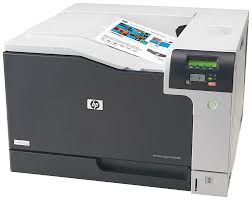
Cover all your colour business printing needs from postcards to oversize documents, with this versatile and affordable A3 desktop printer. Get superior print quality with HP ColorSphere toner, fast speeds and ease of use, with unrivalled reliability.
| Keep it simple with an affordable all-in-one you can count on. Stay connected with the easiest way to print from your Smartphone or tablet, quickly print, scan, and copy – right out of the box – and keep free of clutter with a space-saving design. Features Get easy mobile printing Start printing and get connected quickly with easy setup from your Smartphone, tablet or PC. Connect your Smartphone or tablet directly to your printer – and easily print without accessing a network. Manage printing tasks and scan on the go with the free HP All-in-One Printer Remote mobile app. Easily print from a variety of Smartphone and tablets. Your pages come out great – even if you're not there. Experience affordable, high-quality printing Full of value – print up to twice as many pages with Original HP high-yield ink cartridges. Get high-quality prints – time after time – using the world’s No. 1 printer brand Get everything you need – right away Simplify your tasks. The display panel features simple icons for controlling print, scan and copy functions. Put your best print forward. Create borderless photos, flyers and other documents – right in your home. Get up and running right out of the box and automatically connects to your wireless network. Count on a product designed to fit your life Save your space with a compact all-in-one designed to fit on your desk, on a shelf or anywhere you need it. Print in any room you choose – without causing disruptions. Optional quiet mode helps keep noise to a minimum. | HP LaserJet Enterprise 700 Printer M712dn (CF236A)
| HP LaserJet M211dw Printer detailsHP LaserJet M211d Printer A high-productivity compact laser printer with the fastest two-sided printing in its class. Get a simple setup with the time-saving HP Smart app, , and intuitive controls. This printer is intended to work only with cartridges that have a new or reused HP chip, and it uses dynamic security measures to block cartridges using a non-HP chip. Periodic firmware updates will maintain the effectiveness of these measures and block cartridges that previously worked. A reused HP chip enables the use of reused, remanufactured, and refilled cartridges. More at: Help make a positive impact on the environment This HP LaserJet meets Eco Label requirements, including ENERGY STAR® and BLUE ANGEL. Help save energy with a LaserJet that uses up to 20% less energy than the Help save energy with HP Auto-On/Auto-Off Technology – intelligence that can turn your printer on when you need it and off when you don’t. The smart way to save time Get started fast with an easy you, step by step. Simply download the HP Smart app, connect a network, and share your printer across all your devices. Get high-quality scanning, and share to Dropbox, Google Drive, email, or the cloud with the HP Smart app. Trusted quality and convenience This surprisingly small laser delivers exceptional quality, page after page. Easily manage tasks with smart-guided buttons for an intuitive experience – buttons appear only when needed. Work fast. Work smart. Speed through with the fastest in-class two-sided printing speed. You can fit this LaserJet almost anywhere – it’s that small and compact. Get projects done quickly with a printer that fits almost anywhere. Get the business prints you want, fast. This printer delivers your documents at high speed. Seamless setup Get high-quality scanning. Share to Dropbox, Google Drive, email, or the cloud – from virtually anywhere. Amazing scanning, now on your smartphone Get high-quality scanning and share to Dropbox, Google Drive, email, or the cloud. Printing just got more productive Quickly access and print documents and images, from Dropbox and Google Drive. Small size. Big performance. A LaserJet is so compact it can fit almost anywhere. Fastest in-class two-sided printing speed Speed through multipage documents with the fastest in-class two-sided printing speed.SpecificationsFunctions Print Print speed black (ISO, A4)Up to 29 ppm Up to 18 pm First page out black (A4, ready)As fast as 7 sec Duty cycle (monthly, A4)Up to 20,000 Recommended monthly page volume200 to 2,000 Number of users1-5 users Print technology laser Print quality black (best)Up to 600 x 600 dpi Processor speed500 MHz Print languagesPCLmS; URF; PWG Print colors No Number of print cartridges1 (black) Mac compatible Yes Printer ManagementHP Printer Assistant (UDC); HP Device Toolbox Security management Secure Boot, Secure Firmware Integrity, Runtime Code Integrity; Secure defaults, Encrypted data at rest Mobile printing capabilityApple AirPrint™; HP Smart App | ||||||||||||||||||||||||||||||||||||||||||||||||||||||||||||||||||||||||||||||||||||||||||||||||||||||||||||||||||||||||||||||||||||||||||||||||||||||||||||||||||||||||||||||||||||||||
| Weight | N/A | N/A | N/A | 4 kg | N/A | 6 kg | ||||||||||||||||||||||||||||||||||||||||||||||||||||||||||||||||||||||||||||||||||||||||||||||||||||||||||||||||||||||||||||||||||||||||||||||||||||||||||||||||||||||||||||||||||||||||
| Dimensions | N/A | N/A | N/A | N/A | N/A | N/A | ||||||||||||||||||||||||||||||||||||||||||||||||||||||||||||||||||||||||||||||||||||||||||||||||||||||||||||||||||||||||||||||||||||||||||||||||||||||||||||||||||||||||||||||||||||||||
| Additional information |
|
| ||||||||||||||||||||||||||||||||||||||||||||||||||||||||||||||||||||||||||||||||||||||||||||||||||||||||||||||||||||||||||||||||||||||||||||||||||||||||||||||||||||||||||||||||||||||||||||
| Sold | 0 | 0 | 0 | 0 | 0 | 0 | ||||||||||||||||||||||||||||||||||||||||||||||||||||||||||||||||||||||||||||||||||||||||||||||||||||||||||||||||||||||||||||||||||||||||||||||||||||||||||||||||||||||||||||||||||||||||
| Shipping |


Rating & Review
There are no reviews yet.