
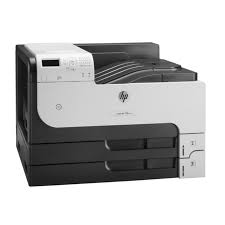
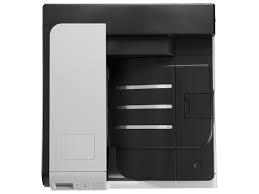


HP LaserJet Enterprise 700 Printer M712dn (CF236A)
₦2,812,000.00
28 people are viewing this right now

Guaranteed safe & secure checkout
Product details
Shipping and Returns
About the brand
Reviews
Questions
Product details
HP LaserJet Enterprise 700 Printer M712dn (CF236A)
| Functions | |
|---|---|
| Print speed black (ISO, A4) | Up to 41 ppm 1 |
| First page out black (A4, ready) | As fast as 10.5 sec |
| Duplex printing | Automatic (standard) |
| Duty cycle (monthly, letter) | Up to 100,000 pages (Duty cycle is defined as the maximum number of pages per month of imaged output. This value provides a comparison of product robustness in relation to other HP LaserJet or HP Color LaserJet devices, and enables appropriate deployment of printers and MFPs to satisfy the demands of connected individuals or groups.) |
| Duty cycle (monthly, A4) | Up to 100,000 pages (Duty cycle is defined as the maximum number of pages per month of imaged output. This value provides a comparison of product robustness in relation to other HP LaserJet or HP Color LaserJet devices, and enables appropriate deployment of printers and MFPs to satisfy the demands of connected individuals or groups.) |
| Recommended monthly page volume | 5000 to 20,000 (HP recommends that the number of printed pages per month be within the stated range for optimum device performance, based on factors including supplies replacement intervals and device life over an extended warranty period.) |
| Print quality black (best) | Up to 1200 x 1200 dpi |
| Print languages | HP PCL 6, HP PCL 5, HP postscript 3 emulation, native PDF printing (v 1.4) |
| Print technology | Laser |
| Connectivity, standard | 2 Hi-Speed USB 2.0; 1 Hi-Speed USB 2.0 Device; 1 Gigabit Ethernet 10/100/1000 Base-T; 1 Hi-Speed USB 2.0 Easy Access Walkup Port; 1 Hardware Integration Pocket (HIP) |
| Connectivity, optional | 802.11b/g/n wireless LAN (station mode), other networking accessories, HP Jetdirect 2700w USB Wireless Print Server |
| Mobile printing capability | HP ePrint; Apple AirPrint™; Mopria™-certified |
| Network ready | Standard (built-in Gigabit Ethernet) |
| Network capabilities | Yes, via HP Jetdirect Ethernet embedded print server (standard) supports: 10Base-T, 100Base-Tx, 1000Base-T; 802.3az (EEE) support on Fast Ethernet and Gigabit Ethernet; IPsec (standard); 802.11b/g/n wireless networking (optional) |
| Wireless capability | Optional, enabled with purchase of a hardware accessory |
| Minimum System Requirements for Macintosh | Mac OS X v10.6, v10.7; 200 MB available hard disk space; operating system compatible hardware system requirements, see apple.com |
| Minimum System Requirements | Windows 10, Windows 8, Windows 7, Windows Vista, Windows Server 2008, Windows Server 2008 R2, Windows Server 2003 (SP1+): 200 MB available hard disk space (for OS compatible hardware system requirements, see http://www.microsoft.com) |
| Display | 5.08 cm, 4-line LCD (colour text and graphics) |
| Processor speed | 800 MHz |
| Maximum Memory | 1 GB
|
| Memory | 512 MB |
| Internal Storage | Standard, 8 GB Solid State Drive (SSD) |
| Capacity | 8 GB eMMC |
| Compatible Operating Systems | Windows 10, Windows 8, Windows 7, Windows Vista, Windows Server 2008 (32-bit/64-bit), Windows Server 2008 R2 (64-bit), Windows Server 2003 (SP1+); Mac OS X v10.6, v10.7; For the latest operating system support see: Citrix and Windows Terminal Services (http://www.hp.com/go/upd), Novell (http://www.novell.com/iprint), Linux (http://www.hplip.net), UNIX (http://www.hp.com/go/unix, http://www.hp.com/go/unixmodelscripts, http://www.hp.com/go/jetdirectunix_software), SAP device types (http://www.hp.com/go/sap/drivers, http://www.hp.com/go/sap/print), HP ePrint Mobile Driver (http://www.hp.com/go/eprintmobiledriver) (Windows® Installer has the same Operating System support as the driver except the following: Windows XP® SP2+ (32-bit only); Windows Server® 2003 SP1+ (32-bit only); Windows Vista® Starter not supported in Driver nor Installer) |
| Paper handling input, standard | 100-sheet multipurpose tray, 2 x 250-sheet input trays |
| Paper handling output, standard | 250-sheet output bin |
| Paper handling input, optional | Optional 500-sheet input tray, optional 1×500-sheet paper feeder with cabinet and stand, optional 3×500-sheet paper feeder with stand, optional 3500-sheet high capacity input tray with stand (A4 only) |
| Finished output handling | Sheetfed |
| Media types | Paper (colour, letterhead, light, plain, preprinted, prepunched, recycled, rough, tough paper), bond, cardstock, envelope, labels, transparency, vellum |
| Media sizes supported | Tray 1, 2: A3; A4; A5; B4 (JIS); B5 (JIS); Tray 3: A3; A4; A5; B4 (JIS); B5 (JIS) |
| Media sizes, custom | Tray 1: 76.2 x 127 to 312 x 469.9 mm; Tray 2: 148 x 210 to 297 to 363 mm; Tray 3: 148 x 210 to 297 to 431 mm |
| Power consumption | 786 watts (printing), 22.1 watts (ready), 6.1 watts (sleep), 0.21 watts (off). Typical Electricity Consumption (TEC): 3.289 kW/Week. (Power requirements are based on the country/region where the printer is sold. Do not convert operating voltages; this will damage the printer and void the product warranty. Values subject to change, see hp.com/support for current information.) |
| Power | Input voltage: 220 to 240 VAC (+/- 10%), 50/60 Hz (+/- 2 Hz) |
| Operating humidity range | 20 to 80% RH |
| Recommended operating humidity range | 30 to 70% RH |
| Non-Operating Humidity Range | 10 to 90% RH |
| Operating temperature range | 10 to 32.5ºC |
| Blue Angel compliant | Yes, Blue Angel DE-UZ 219—only ensured when using Original HP supplies |
| Energy savings feature technology | HP Auto-On/Auto-Off Technology; Instant-on Technology |
| Ecolabels | Blue Angel |
| Safety | IEC 60950-1:2005 +A1; EN60950-1: 2006 +A11:2009 +A1:2010 +A12:2011; IEC 60825-1:2007 (Class 1 Laser/Led Product); EN 60825-1:2007 (Class 1 Laser/LED Product); GS Certificate (Germany, Europe); IEC 62479:2010; EN 62479:2010; Low Voltage Directive 2006/95/EC with CE Marking (Europe); other safety approvals as required by individual countries |
| Security management | Management security: SNMPv3, SSL/TLS, WPA2-Enterprise, 802.1X authentication (EAP- PEAP, EAP-TLS), IPP over TLS, IPsec/Firewall with Certificate, Pre-Shared Key Authentication, and Kerberos Authentication; Support for WJA-10 IPsec Configuration using IPsec Plug-in |
| Dimensions (W x D x H) | 568 x 596 x 392 mm |
| Maximum dimensions (W x D x H) | 858 x 989 x 392 mm |
| Weight | 38.5 kg |
Shipping and Returns
Shipping cost is based on weight. Just add products to your cart and use the Shipping Calculator to see the shipping price.
We want you to be 100% satisfied with your purchase. Items can be returned or exchanged within 30 days of delivery.
HP
There are no question found.
Quick Comparison
| HP LaserJet Enterprise 700 Printer M712dn (CF236A) remove | HP DeskJet Plus Ink Advantage 6075 All-in-One Printer remove | HP OfficeJet Pro 9720 Wide Format All-in-One Printer (53N94C) remove | SHARP MX-M265NV Multifunctional Monochrome Printer remove | SHARP BP-30M31 Multifunctional Monochrome Printer remove | HP Colour LaserJet Pro MFP M183fw Printer remove | |||||||||||||||||||||||||||||||||||||||||||||||||||||||||||||||||||||||||||||||||||||||||||||
|---|---|---|---|---|---|---|---|---|---|---|---|---|---|---|---|---|---|---|---|---|---|---|---|---|---|---|---|---|---|---|---|---|---|---|---|---|---|---|---|---|---|---|---|---|---|---|---|---|---|---|---|---|---|---|---|---|---|---|---|---|---|---|---|---|---|---|---|---|---|---|---|---|---|---|---|---|---|---|---|---|---|---|---|---|---|---|---|---|---|---|---|---|---|---|---|---|---|---|
| Name | HP LaserJet Enterprise 700 Printer M712dn (CF236A) remove | HP DeskJet Plus Ink Advantage 6075 All-in-One Printer remove | HP OfficeJet Pro 9720 Wide Format All-in-One Printer (53N94C) remove | SHARP MX-M265NV Multifunctional Monochrome Printer remove | SHARP BP-30M31 Multifunctional Monochrome Printer remove | HP Colour LaserJet Pro MFP M183fw Printer remove | ||||||||||||||||||||||||||||||||||||||||||||||||||||||||||||||||||||||||||||||||||||||||||||
| Image | |  |  |  |  | 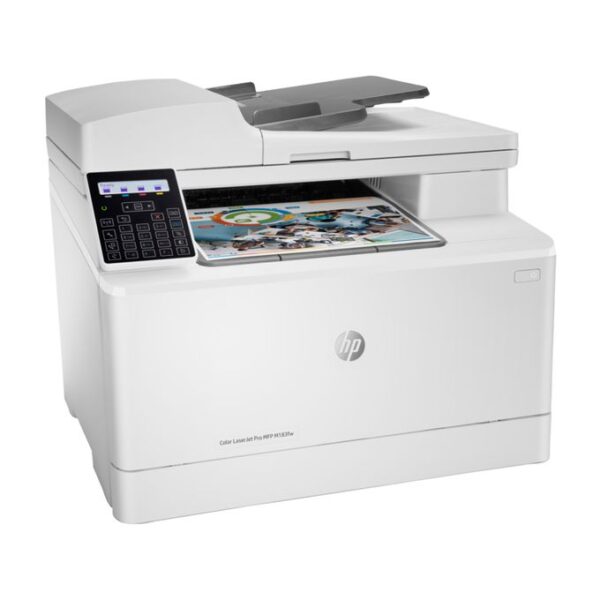 | ||||||||||||||||||||||||||||||||||||||||||||||||||||||||||||||||||||||||||||||||||||||||||||
| SKU | ||||||||||||||||||||||||||||||||||||||||||||||||||||||||||||||||||||||||||||||||||||||||||||||||||
| Rating | ||||||||||||||||||||||||||||||||||||||||||||||||||||||||||||||||||||||||||||||||||||||||||||||||||
| Price | ₦2,812,000.00 | ₦178,000.00 | ₦320,000.00 | ₦4,140,000.00 | ₦4,590,000.00 | ₦640,000.00 | ||||||||||||||||||||||||||||||||||||||||||||||||||||||||||||||||||||||||||||||||||||||||||||
| Stock |
20 in stock
| |||||||||||||||||||||||||||||||||||||||||||||||||||||||||||||||||||||||||||||||||||||||||||||||||
| Availability | 20 in stock | |||||||||||||||||||||||||||||||||||||||||||||||||||||||||||||||||||||||||||||||||||||||||||||||||
| Add to cart | ||||||||||||||||||||||||||||||||||||||||||||||||||||||||||||||||||||||||||||||||||||||||||||||||||
| Description | Enable high-volume, black-and-white printing on paper sizes up to A3, with capacity up to 4,600 sheets 1. Control costs with energy-saving features and two-sided printing. Protect sensitive business data and centrally manage printing policies.
|
| Orderable supplies
HP 938 Black Original Ink Cartridge 4S6X8P; HP 938 Cyan Original Ink Cartridge (~800 pages) 4S6X5P; HP 938 Magenta Original Ink Cartridge 4S6X6P; HP 938 Yellow Original Ink Cartridge 4S6X7P. HP EvoMore planned to be available April 2024: HP 938e EvoMore Black Original Ink Cartridge 4S6Y2P; HP 938e EvoMore Cyan Original Ink Cartridge 4S6X9P; HP 938e EvoMore Magenta Original Ink Cartridge 4S6Y0P; HP 938e EvoMore Yellow Original Ink Cartridge 4S6Y1P
Print Cartridges/Bottle, Number
4 (1 each black, cyan, magenta, yellow)
Print quality black (best)
Black: Up to 1200 x 1200 rendered dpi Color: Up to 4800 by 1200 optimized dpi on HP Advance Photo Paper 1200 by 1200 dpi input
Recommended monthly page volume
250 to 1500 pages [5] HP recommends that the number of printed pages per month be within the stated range for optimum device performance, based on factors including supplies replacement intervals and device life over an extended warranty period.
Print quality color (best)
Up to 4800 by 1200 optimized dpi on HP Advance Photo Paper 1200 by 1200 dpi input
Print technology
HP Thermal Inkjet
| Key FeaturesThe SHARP MX-265NV is a reliable, feature-rich multifunctional printer tailored for busy work environments that demand efficiency, versatility, and exceptional output quality. Designed to streamline office operations, this powerhouse combines printing, copying, and scanning capabilities with cutting-edge technology to deliver unmatched performance. Outstanding Performance
| Key Features
|
| ||||||||||||||||||||||||||||||||||||||||||||||||||||||||||||||||||||||||||||||||||||||||||||
| Content | HP LaserJet Enterprise 700 Printer M712dn (CF236A)
| HIGHLY AFFORDABLE WIFI PRINTER FOR YOUR PRINT, SCAN AND COPY NEEDS · QUICK MOBILE SETUP WITH HP SMART APP: Fast and easy printer setup that guides you, step by step; simply download the HP Smart app, connect to Wi-Fi, and share the inkjet printer across all your device · WORRY FREE DUAL BAND WIRELESS: Get better range, faster and more reliable connections using dual-band Wi-Fi with self-healing · RELIABLE CONNECTIVITY: High-speed USB 2.0 Connectivity, Wi-Fi · PRINT AUTOMATICALLY ON BOTH SIDES: Save time and paper with automatic two-sided printing (Duplex Printing) · BORDERLESS PHOTOS: This wireless printer lets you print borderless photos and documents at home · PRINT & SCAN ON THE GO: Print, scan, and copy from virtually anywhere with your smartphone, and share your documents to third-party software like Dropbox and Google Drive using the HP Smart app · SAVE YOUR PRODUCTIVE TIME: High speed printing for home needs; Black: Up to 10 ppm (ISO); Color: Up to 7 ppm (ISO) · VERSATILE PRINT/MEDIA OPTIONS: Supports A4; B5; A6; DL envelope · PEACE OF MIND SERVICE SUPPORT: HP ON-SITE 1-YEAR WARRANTY (Use genuine HP 682 Black Original Ink Cartridge 682 Tri-Color Original Ink Cartridge) | Orderable supplies
HP 938 Black Original Ink Cartridge 4S6X8P; HP 938 Cyan Original Ink Cartridge (~800 pages) 4S6X5P; HP 938 Magenta Original Ink Cartridge 4S6X6P; HP 938 Yellow Original Ink Cartridge 4S6X7P. HP EvoMore planned to be available April 2024: HP 938e EvoMore Black Original Ink Cartridge 4S6Y2P; HP 938e EvoMore Cyan Original Ink Cartridge 4S6X9P; HP 938e EvoMore Magenta Original Ink Cartridge 4S6Y0P; HP 938e EvoMore Yellow Original Ink Cartridge 4S6Y1P
Print Cartridges/Bottle, Number
4 (1 each black, cyan, magenta, yellow)
Print quality black (best)
Black: Up to 1200 x 1200 rendered dpi Color: Up to 4800 by 1200 optimized dpi on HP Advance Photo Paper 1200 by 1200 dpi input
Recommended monthly page volume
250 to 1500 pages [5] HP recommends that the number of printed pages per month be within the stated range for optimum device performance, based on factors including supplies replacement intervals and device life over an extended warranty period.
Print quality color (best)
Up to 4800 by 1200 optimized dpi on HP Advance Photo Paper 1200 by 1200 dpi input
Print technology
HP Thermal Inkjet
Printer drivers included
HP PCL3 GUI
Display
2.7" Capacitive Touchscreen CGD
Processor speed
1.2Ghz
Print languages
HP PCL3 GUI
Paper handling input, standard
250-sheet input tray
Paper handling input, optional
No
Paper handling output, standard
75-sheet output tray
Duplex printing
Automatic (A4/Letter)
Maximum Input Capacity (envelopes)
Up to 30 envelopes
Borderless printing
Yes (up to A3/11 x 17-in)
Media types
Plain Paper, HP Photo Papers, HP Matte Brochure or Professional Paper, HP Matte Presentation Paper, HP Glossy Brochure or Professional Paper, Other Matte Inkjet Papers, Other Glossy Inkjet Papers, Inkjet Hagaki, Plain Paper Thick, Plain Paper Light/Recycled
Mobile printing capability
Chrome OS; HP Smart app; Apple AirPrint™; Mopria™ Certified; Wi-Fi® Direct Printing; Mobile Apps [6]
Wireless capability
Yes, with built-in dual-band Wi-Fi 802.11 a/b/g/n/ac and a self-heal solution
Connectivity, standard
1 Ethernet; 1 Hi-Speed USB 2.0 (device); 1 Wi-Fi 802.11 a/b/g/n/ac (dual band)
Minimum System Requirements
Microsoft® Windows® 11, 10: 32-bit or 64-bit; 2 GB available hard disk space; Internet connection; Microsoft® Internet Explorer or Edge
Minimum System Requirements for Macintosh
Apple® macOS v11 Big Sur, macOS v12 Monterey, macOS v13 Ventura; 2 GB HD; Internet required
Compatible operating systems
Windows 11; Windows 10; macOS 11 Big Sur; macOS 12 Monterey; macOS 13 Ventura; macOS 14 Sonoma; Linux; Chrome OS [4] Windows Server 2016 64-bit, Windows Server 2019 64-bit, Windows Server 2022 64-bit; Linux (For more information see http://developers.hp.com/hp-linux-imaging-and-printing)
Memory, standard
512MB None
Maximum Memory
512MB
Quantity per pallet
18
Count of layers in pallet
6
What's in the box
EU / AP Developed Market: HP OfficeJet Pro 9720 WF AiO Printer; HP 937 Setup Black Ink Cartridge; HP 937 Setup Cyan Ink Cartridge; HP 937 Setup Magenta Ink Cartridge; HP 937 Setup Yellow Ink Cartridge; Regulatory Flyer; Ink Caution Flyer; Power Cord; Setup Poster; Reference Guide; [For more information about fill and yield, see http://www.hp.com/go/learnaboutsupplies] LA / AP Emerging Market: HP OfficeJet Pro 9720 WF AiO Printer; HP 938 Setup Black Ink Cartridge; HP 938 Setup Cyan Ink Cartridge; HP 938 Setup Magenta Ink Cartridge; HP 938 Setup Yellow Ink Cartridge; Regulatory Flyer; Ink Caution Flyer; Power Cord; Setup Poster; Reference Guide; SW CD (AP Indonesia only); [For more information about fill and yield, see http://www.hp.com/go/learnaboutsupplies]
Cable included
USB Cable: Yes (AP EM only); No (LA, EMEA)
Manufacturer Warranty
One-year limited hardware warranty; For more info please visit us at http://support.hp.com [9]
Tech spec footnote
[1] Copy speeds may vary depending on the type of document.
Tech spec footnote
[2] 2 MB flash storage
Tech spec footnote
[3] Based on standard ITU-T Test Image No. 1 at standard resolution. More complicated pages or higher resolution will take longer and use more memory.
Tech spec footnote
[4] Not supporting Windows® XP (64-bit) and Windows Vista® (64-bit)
Tech spec footnote
[5] HP recommends that the number of printed pages per month be within the stated range for optimum device performance, based on factors including supplies replacement intervals and device life over an extended warranty period.
Tech spec footnote
[6] Wireless operations are compatible with 2.4 GHz operations only. App or software and HP Smart app account registration may also be required. Some features require purchase of an optional accessory. Learn more at http://www.hp.com/go/mobileprinting
Tech spec footnote
[9] For full terms and conditions visit: www.hp.com/go/orderdocuments . Warranty and support options vary by product, country, and local legal requirements.
| The SHARP MX-265NV is a reliable, feature-rich multifunctional printer tailored for busy work environments that demand efficiency, versatility, and exceptional output quality. Designed to streamline office operations, this powerhouse combines printing, copying, and scanning capabilities with cutting-edge technology to deliver unmatched performance.
Outstanding Performance
Key FeaturesThe SHARP MX-265NV is a reliable, feature-rich multifunctional printer tailored for busy work environments that demand efficiency, versatility, and exceptional output quality. Designed to streamline office operations, this powerhouse combines printing, copying, and scanning capabilities with cutting-edge technology to deliver unmatched performance. Outstanding Performance
| The BP-30M31 A3 black & white device is ideal for any busy workgroup that needs high performance, high quality output and versatility; with the options and upgrades on offer making it adaptable to your future needs. It comes with a range of robust security features to keep your data and network safe including access control, data encryption and S/MIME as well as a self-healing firmware system, SSL certificate validation and a programme execution white list.<br 'source="" sans="" pro',="" sans-serif";="" font-size:="" 16px;"=""><br 'source="" sans="" pro',="" sans-serif";="" font-size:="" 16px;"="">Support for a secondary LAN (optional) provides simultaneous support for two networks whilst the Print Release function allows users to send and store documents to a main MFP, which acts as a server, allowing print jobs to be securely released at up to five connected, network-ready devices. Optional workflow enhancing features include Single-Sign-On cloud connectivity, mobile connectivity via Wi-Fi, NFC or QR Code, USB direct printing of MS Office files and OCR for scan to searchable PDF/Office.<br 'source="" sans="" pro',="" sans-serif";="" font-size:="" 16px;"=""><br 'source="" sans="" pro',="" sans-serif";="" font-size:="" 16px;"="">A 7.0-inch colour LCD touchscreen provides the ability to drag and drop frequently used icons for simple customisation of the home screen and status lamps show the MFP's status from a distance. Everyday operation is simple and intuitive; just touch, tap, pinch and spread or swipe for instant access to every feature, function and setting including an advanced preview feature.<br 'source="" sans="" pro',="" sans-serif";="" font-size:="" 16px;"=""><br 'source="" sans="" pro',="" sans-serif";="" font-size:="" 16px;"="">Print and copy speeds of up to 31 ppm in black & white and a built-in 100-sheet Reversing Single Pass Feeder with a scan speed of up to 60 ipm (one-sided, colour and black & white) help to boost efficiency and productivity. The BP-30M31 provides page after page of consistently high quality 600 x 600 dpi print resolution. A maximum paper capacity of 2,100 sheets and support for a wide range of media (up to A3 and 200 gsm) enable this device to handle varied output requirements with ease. And a space saving inner finisher (optional) automates document sorting and stapling.<br 'source="" sans="" pro',="" sans-serif";="" font-size:="" 16px;"=""><br 'source="" sans="" pro',="" sans-serif";="" font-size:="" 16px;"="">The Sharp Application Portal makes the MFP much more adaptable by providing software updates and cloud connector apps that enable agile working.<br 'source="" sans="" pro',="" sans-serif";="" font-size:="" 16px;"=""><br 'source="" sans="" pro',="" sans-serif";="" font-size:="" 16px;"="">The BP-30M31 uses Sharp's latest energy-saving technology. A rapid warm up time, low power consumption and low TEC value all aim to save money and support your environmental objectives.
Key Features
| Connectivity Ports Hi-Speed USB 2.0 port; built-in Fast Ethernet 10/100 Base-TX network port, 802.11n 2.4/5GHz wireless, Fax port Wireless capability Built-in Dual band 802.11 b/g/n; authentication via WEP, WPA/WPA2, or 802.11x; encryption via AES or TKIP; WPS; Wi-Fi Direct Copy Copier settings Number of copies; Reduce/Enlarge; Lighter/Darker; Optimize; Paper; Multi-page copy; Collation; Draft Mode; Image Adjustment; Set as New Defaults; Restore Defaults Maximum number of copies Up to 99 copies Copy reduce / enlarge settings 25 to 400% Copy speed (color, normal) Up to 16 ppm Copy speed (black, normal) Up to 17 ppm Copy resolution Up to 600 x 600 dpi Environmental Acoustic power emissions (active, printing) 6.2 B(A) (Mono); 6.3 B(A) (Color) Recommended operating humidity range 30 to 70% RH Non-Operating Humidity Range 0 to 95% RH Recommended operating temperature range (Celsius) 15 to 27°C Recommended operating temperature range (Fahrenheit) 59 to 80.6°F Storage temperature range (Celsius) -20 to 40°C Storage temperature range (Fahrenheit) -4 to 104°F Environmental specifications Mercury Free Fax Fax available Yes Fax features Auto redialing, delayed sending, fax forwarding, TAM interface, distinctive ring detection, cover page wizard (Software only), block fax, billing codes, poll receive, fax activity reports, dial prefix setting Fax Resolution Black (best) Up to 300 x 300 dpi Fax memory Up to 1300 pages Telephone handset supported Yes Fax telephone mode supported Yes Modem 33.6 kbps Fax Speed Dials, Maximum Number Up to 120 numbers Fax transmission speed (letter) 3 sec per page Memory Memory 256 MB DDR, 128 MB Flash Maximum Memory 256 MB DDR, 128 MB Flash Mobile printing capability Mobile printing services HP Smart App; HP ePrint; Apple AirPrint™; Mobile Apps; Mopria™ Certified; Wi-Fi® Direct Printing Networking Network protocols, supported TCP/IP, IPv4, IPv6; Print: TCP-IP port 9100 Direct Mode, LPD (raw queue support only), Web Services Printing; Discovery: SLP, Bonjour, Web Services Discovery; IP Config: IPv4 (BootP, DHCP, AutoIP, Manual), IPv6 Paper handling Input capacity Up to 150 sheets (15 mm stack height) in Tray 1 Output capacity Up to 100 sheets (10 mm stack height) Media sizes supported (metric) Letter(216 x 280); Legal(216 x 356); Executive(184 x 267); Oficio 8.5x13(216 x 330); 4 x 6(102 x 152); 5 x 8(127 x 203); A4(210 x 299); A5(148 x 210); A6(105x148); B5(JIS)(182 x 257); B6(JIS)(128 x 182); 10x15cm(100 x 150); Oficio 216x340mm(216 x 340); 16K 195x270mm(195x270); 16K 184x260mm(184x260); 16K 197x273mm(197x273); Postcard(JIS)(100 x 147); Double Postcard(JIS)(147 x 200); Envelope #10(105 x 241); Envelope Monarch(98 x 191); Envelope B5(176 x 250); Envelope C5(162 x 229); Envelope DL(110 x 220); A5-R(210 x 148) Media sizes supported (U.S. standard) Letter(8.5 x 11); Legal(8.5 x 14); Executive(7.2 x 10.5); Oficio 8.5x13(8.5 x 13); 4 x 6(4 x 6); 5 x 8(5 x 8); A4(8.3 x 11.7); A5(5.8 x 8.3); A6(4.1 x 5.8); B5(JIS)(7.2 x 10.1); B6(JIS)(5 x 7.2); 10x15cm (3.9 x 5.9); Oficio 216x340 mm(8.5 x 13.4); 16K 195x270mm(7.6 x 10.6); 16K 184x260mm(7.2 x 10.2); 16K 197x273mm(7.8 x 10.7); Postcard (JIS)(3.9 x 5.8); Double Postcard(JIS)(5.8 x 7.9); Envelope #10(4.1 x 9.5); Envelope Monarch(3.9 x 7.5); Envelope B5(6.9 x 9.8); Envelope C5(6.4 x 9); Envelope DL(4.3 x 8.7); A5-R(8.3 x 5.8) Media sizes, custom (metric) 76 x 127 to 216 x 356 mm Media sizes, custom (U.S. standard) 3 x 5 to 8.5 x 14 in Media types Paper (bond, brochure, colored, glossy, heavy, letterhead, light, photo, plain, preprinted, prepunched, recycled, rough), transparencies, labels, envelopes, cardstock Media weight supported (metric) 60 to 163 g/m² (Uncoated/Matte, recommended), however up to 175 g/m² Postcards and 200 g/m² HP Matte is allowed in the driver; 60 to 163 g/m² (Coated/Glossy, recommended), however up to 175 g/m² Postcards and 220 g/m² HP Glossy is allowed in the driver. Media weight supported (U.S. standard) 16 to 43 lb (Uncoated/Matte, recommended), however up to 47 lb Postcards and 53 lb HP Matte is allowed in the driver; 16 to 43 lb (Coated/Glossy, recommended), however up to 47 lb Postcards and 59 lb HP Glossy is allowed in the driver. Paper handling - ADF Automatic document feeder capacity Standard, 35 sheets Media size (ADF) A4; LTR; LGL Media weight supported, ADF (metric) 70 to 90 g/m² Media weight supported, ADF (U.S. standard) 18.5 to 24 lb Media type and capacity, ADF 35 sheet of 20 lb plain paper Physical dimensions Maximum dimensions (W x D x H, metric) 435 x 435 x 343 mm Maximum dimensions (W x D x H, U.S. standard) 17.1 x 17.1 x 13.5 in Weight (metric) 16.3 kg Weight (U.S. standard) 35.9 lb Power Energy savings feature technology HP Auto-On/Auto-Off Technology; Instant-on Technology Power supply type Internal (Built-in) power supply Power supply 110-volt input voltage: 110 to 127 VAC (+/- 10%), 50 Hz (+/- 3 Hz), 60 Hz (+/- 3 Hz); 220-volt input voltage: 220 to 240 VAC (+/- 10%), 50 Hz (+/- 3 Hz), 60 Hz (+/- 3 Hz)(Not dual voltage, product varies by part number with # Option code identifier) Power consumption 313 watts(active printing), 7.4 watts(Ready), 0.7 watts(Sleep), 0.05 (Manual-Off), 0.05(Auto-Off/Manual-On), 1.0 watts(Auto-Off/Wake on LAN) Print cartridges Number of print cartridges 4 (1 each black, cyan, magenta, yellow) Replacement cartridges HP 215A Black LaserJet Toner Cartridge (~1050 yield) W2310A; HP 215A Cyan LaserJet Toner Cartridge (~850 yield) W2311A; HP 215A Yellow LaserJet Toner Cartridge (~850 yield) W2312A; HP 215A Magenta LaserJet Toner Cartridge (~850 yield) W2313A Replacement cartridges footnote Replacement 215A(AMS+APJ) /216A(EMEA) cartridge average composite (C/Y/M) declared yield ~850 and average black yield ~1050 pages based on ISO/IEC 19798 and continuous printing. Actual yields vary considerably based on images printed and other factors. SureSupply note HP SureSupply alerts you when your print cartridge is running low and helps you purchase online or locally through HP or a participating retailer. Printing specifications Print technology Laser Duplex printing Manual (driver support provided) Print resolution (best) Up to 600 x 600 dpi Maximum print area (metric) 206 x 346 mm Monthly duty cycle Up to 30,000 pages Print languages HP PCL6; HP PCL5c; HP postscript level 3 emulation; PWG raster; PDF; PCLm; PCLm-S; URF Printer smart software features Wireless direct printing, HP ePrint, Apple AirPrint™, Mopria-certified, HP Auto-On/Auto-Off technology, HP Smart App, Smart task shortcuts in HP Smart App, HP JetAdvantage Secure Print (Optional) Regulatory specifications Regulatory model number SHNGC-1603-01 Energy efficiency EPEAT® Silver; ENERGY STAR® qualified Safety EN 60950-1:2006 +A11:2009 +A1:2010 +A12:2011+A2:2013; IEC 60950-1:2005 +A1:2009+A2:2013; EN 60825-1:2014 / IEC 60825-1:2014 (Class 1 Laser Product); EN 62479:2010 / IEC 62479:2010; CAN/CSA C22.2 No. 60950-1-07 2nd Ed.March 27, 2007 Compliance of IEC 60950-1 standard considers all country deviations according to the most recent IECEE CB Bulletin.; Complies with FDA performance standards for laser products except for deviations pursuant to Laser Notice No. 50, dated June 24, 2007. Electromagnetic compatibility CISPR32:2012 & CISPR32:2015 /EN55032:2012 & EN55032:2015+AC:2016 - Class B; EN 61000-3-2:2014; EN 61000-3-3:2013; EN 55024:2010+A1:2015; FCC Title 47 CFR, Part 15 Class B/ICES-003, Issue 6 Telecom compliance (fax capability) Fax Telecom: ES 203 021; FCC Title 47 CFR, Part 68; Industry Canada CS03; NOM-151-SCTI-1999 (Mexico); PTC-200 (New Zealand); other Telecom approvals as required by individual countries. Wireless: EU RED 2014/53/EU; EN 301 489-1 V2.1.1 / EN 301 489-17: V3.1.1; EN 300 328: V2.1.1 / EN301 893 V2.1.1; FCC Title 47 CFR, Part 15 Subpart C & E / RSS 247 Issue 1, 2015 & RSS 102 Issue 5, 2015; IEC 62311:2007 / EN62311:2008 Scan Scanner advanced features HP Scanning software; 35-sheet Automatic Document Feeder (ADF) for unattended scanning of multiple pages; automatic scan cropping; Scan to Google Drive/Drop box (PC); Scan to FTP(PC); Scan to Microsoft One Drive, Share Point (PC); Save as editable file (text, PDF) Scan technology Contact Image Sensor (CIS) Scan speed (normal) Up to 15.0 ppm (B/W); 8 ppm (Color) Scan speed footnote Scan speeds measured from ADF. Actual processing speeds may vary depending on scan resolution, network conditions, computer performance, and application software. Scan resolution, hardware Up to 300 x 300 dpi (color and mono, ADF); Up to 1200 x 1200 dpi (color and mono, flatbed) Levels of grayscale 256 Bit depth 8-bit (mono); 24-bit (color) Duplex ADF scanning No Maximum flatbed scan size (metric) 215.9 x 297 mm Maximum flatbed scan size (U.S. standard) 8.5 x 11.7 in Minimum ADF scan size (metric) 148.5 x 210 mm Minimum ADF scan size (U.S. standard) 5.85 x 8.27 in Maximum ADF scan size (metric) 215.9 x 355.6 mm Maximum ADF scan size (U.S. standard) 8.5 x 14 in Twain version Version 1.9 (Legacy OS); Version 2.1 (Windows 7 or higher) Security Security management Embedded Web Server: password-protection, secure browsing via SSL/TLS; Network: enable/disable network ports and features, SNMPv1 community password change; HP ePrint: HTTPS with certificate validation, HTTP Basic Access Authentication; Firewall and ACL; SNMPv3 System requirements Minimum system requirements for Windows Windows® 10, 8, 8.1, 7: 32-bit or 64-bit, 2 GB available hard disk space, Internet connection, USB port, Internet Explorer. Windows Server support is provided via the command line installer and supports Win Server 2008 R2 and higher. Minimum System Requirements for Macintosh Apple® macOS Sierra (v10.12) macOS High Sierra (v10.13) macOS Mojave (v10.14) macOS Catalina(v10.15); 200MB HD; Internet required for download; USB Compatible Network Operating Systems Windows® 10, 8, 8.1, 7: 32-bit or 64-bit, 2 GB available hard disk space, Internet connection, USB port, Internet Explorer. Windows Server support is provided via the command line installer and supports Win Server 2008 R2 and higher. Apple® macOS Sierra (v10.12) macOS High Sierra (v10.13) macOS Mojave (v10.14) macOS Catalina(v10.15); 200MB HD; Internet required for download; USB. Linux (For more information, see //developers.hp.com/hp-linux-imaging-and-printing). Operating system (supported note) "Compatible Operating Systems" are not supported with INBOX software, but downloadable from online; Full solution software available only for Windows 7 and newer; Windows Server OS install driver only; Windows RT OS for Tablets (32 & 64-bit) uses a simplified HP print driver built into the RT OS; Linux systems use in-OS HPLIP software | ||||||||||||||||||||||||||||||||||||||||||||||||||||||||||||||||||||||||||||||||||||||||||||
| Weight | N/A | 15 kg | N/A | N/A | N/A | 18 kg | ||||||||||||||||||||||||||||||||||||||||||||||||||||||||||||||||||||||||||||||||||||||||||||
| Dimensions | N/A | N/A | N/A | N/A | N/A | 435 × 435 × 343 cm | ||||||||||||||||||||||||||||||||||||||||||||||||||||||||||||||||||||||||||||||||||||||||||||
| Additional information |
|
| ||||||||||||||||||||||||||||||||||||||||||||||||||||||||||||||||||||||||||||||||||||||||||||||||
| Sold | 0 | 0 | 0 | 0 | 0 | 0 | ||||||||||||||||||||||||||||||||||||||||||||||||||||||||||||||||||||||||||||||||||||||||||||
| Shipping |
Related products


HP Smart Tank 581 All-in-One Printer (4A8D4A)
Original price was: ₦269,000.00.₦250,000.00Current price is: ₦250,000.00.


Rating & Review
There are no reviews yet.