


HP LaserJet Tank MFP 2602sdw Printer (2R7F5A)
₦680,000.00
23 people are viewing this right now

Guaranteed safe & secure checkout
Product details
Shipping and Returns
About the brand
Reviews
Questions
Product details
Print Cartridges/Bottle, Number
1 (black)
Print quality black (best)
Black: Up to 600 x 600 dpi Color:
Print Resolution Technologies
600 x 600 dpi; 600 x 400 dpi
Recommended monthly page volume
250-2500 HP recommends that the number of printed pages per month be within the stated range for optimum device performance, based on factors including supplies replacement intervals and device life over an extended warranty period.
Processor speed
500 MHz
Print languages
PCLmS; URF; PWG
Display
Icon LCD
Mobile printing capability
HP Smart App; Apple AirPrint™; Mopria™ Certified; Wi-Fi® Direct Printing Apple AirPrint™; HP Smart App; Mopria™ Certified; Wi-Fi® Direct Printing
Wireless capability
Yes
Connectivity, standard
Hi-Speed USB (compatible with USB 2.0 specifications; Ethernet 10/100 Base-TX; 802.11a/b/g/n (2.4/5 GHz) Wi-Fi radio
Minimum System Requirements
Microsoft® Windows® 11, 10, 2 GB available hard disk space, Internet connection, Microsoft® Internet Explorer or Edge.
Minimum System Requirements for Macintosh
Apple® macOS v10.15 Catalina, macOS v11 Big Sur, macOS v12 Monterey; 2 GB HD; Internet required
Compatible Operating Systems
Windows 11; Windows 10; macOS 10.15 Catalina; macOS 11 Big Sur; macOS 12 Monterey; Linux
Operating system (supported note)
Not supporting Windows® XP (64-bit), Windows Vista® (64-bit) and Windows 8, 8.1. Full solution software available only for Windows 10 and newer; For Windows Server 2008 R2 64-bit, 2012 64-bit, 2012 R2 64-bit, 2016 64-bit only print driver is installed. Windows RT OS for Tablets (32 & 64-bit) uses a simplified HP print driver built into the RT OS; Linux systems use in-OS HPLIP software.
Paper handling input, standard
250-sheet input tray
Maximum output capacity (sheets)
Up to 100 sheets
Duplex printing
Automatic
Media types
Plain paper, Heavy paper, Bond paper, Label, Light paper, Envelope
Paper handling input, standard
250-sheet input tray
Power
110V – 127V nominal @ +/-10% (min 99V, max 140V), 50 – 60Hz nominal +/- 3Hz (min 47Hz, max 63Hz), 220V – 240V nominal @ +/-10% (min 198V, Max 264V), 50 – 60Hz nominal +/- 3Hz (min 47Hz, max 63Hz
Power consumption
Active printing: 390w, Ready: 2.7w, Sleep: 0.51w, Manual Off: 0.05w, Auto Off/Manual On: 0.05w, Auto-Off/Wake on LAN: 0.5w [7] Power requirements are based on the country/region where the printer is sold. Do not convert operating voltages. This will damage the printer and void the product warranty. Power consumption values typically based on measurement of 115V device.
Ecolabels
Blue Angel; EPEAT® Silver registered
Sustainable impact specifications
Recyclable through HP Planet Partners; Contains post-consumer recycled plastic
Blue Angel compliant
Yes, Blue Angel DE-UZ 219—only ensured when using Original HP supplies
Recommended operating humidity range
30 to 70% RH
Acoustic power emissions (ready)
2.5 B(A)
Acoustic pressure emissions bystander (active, printing)
49 dB(A)
Quantity per pallet
EMEA/APJ: 30; AMS: 36
Count of layers in pallet
EMEA/APJ: 5; AMS:6
What’s in the box
HP Black Original LaserJet Tank Imaging Drum, Power Cord, Setup Guide, Reference Guide, Regulatory/Support Flyers, CD (for APJ only)
What is in the box footnote
[2] HP Black Original LaserJet Tank Imaging Drum (introductory ~5,000 page black toner yield provided). For yield information included with your printer, see http://www.hp.com/go/toneryield. Yield values measured in accordance with ISO/IEC 19752 and continuous printing. Actual yields vary considerably based on images printed and other factors.
What is in the box footnote number
[2]
Cable included
Yes, 1 USB Cable (all region)
Manufacturer Warranty
One-year limited hardware warranty. For more info, please visit us at https://support.hp.com
Tech spec footnote
[1] HP Auto-On/Auto-Off Technology capabilities subject to printer and settings; may require a firmware upgrade. Requires the HP Smart app download. For details on local printing requirements see www.hp.com/go/mobileprinting. Certain features/software are available in English language only and differ between desktop and mobile applications. Subscription may be required; subscription may not be available in all countries. See details: HPSmart.com at Internet access required and must be purchased separately. HP account required for full functionality. List of supported operating systems available in app stores.
Tech spec footnote
[2] HP Black Original LaserJet Tank Imaging Drum (introductory ~5,000 page black toner yield provided). For yield information included with your printer, see http://www.hp.com/go/toneryield. Yield values measured in accordance with ISO/IEC 19752 and continuous printing. Actual yields vary considerably based on images printed and other factors.
Tech spec footnote
[3] Declared yields based on ISO/IEC 19752 and continuous printing. Actual yields vary considerably based on images printed and other factors. For details see http://www.hp.com/go/toneryield
Tech spec footnote
[4] Measured using ISO/IEC 24734 Feature Performance Test, excludes first set of test documents. For more information see http://www.hp.com/go/printerclaims. Exact speed varies depending on the system configuration, software application, driver, and document complexity.
Tech spec footnote
[5] Measured using ISO/IEC 24734, excludes first set of test documents. For more information see http://www.hp.com/go/printerclaims. Exact speed varies depending on the system configuration, software application, driver, and document complexity.
Tech spec footnote
[6] Measured using ISO/IEC 17629. For more information see http://www.hp.com/go/printerclaims. Exact speed varies depending on the system configuration, software application, driver, and document complexity.
Tech spec footnote
[7] Power requirements are based on the country/region where the printer is sold. Do not convert operating voltages. This will damage the printer and void the product warranty. Energy Star value typically based on measurement of 115V device.
Tech spec footnote
[8] Scan speeds measured from ADF. Actual processing speeds may vary depending on scan resolution, network conditions, computer performance, and application software.
Tech spec footnote
[22] Program availability varies. For details, see www.hp.com/recycle.
Tech spec footnote
[27] Post-consumer recycled is based on the definition set in the EPEAT standard for imaging equipment, IEEE 1680.2
Shipping and Returns
Shipping cost is based on weight. Just add products to your cart and use the Shipping Calculator to see the shipping price.
We want you to be 100% satisfied with your purchase. Items can be returned or exchanged within 30 days of delivery.
HP
There are no question found.
Quick Comparison
| HP LaserJet Tank MFP 2602sdw Printer (2R7F5A) remove | HP DeskJet Ink Advantage 2875 All-in-One Printer (60K47C) remove | HP LaserJet Pro MFP 4103fdw Printer remove | SHARP BP-30M35 Monochrome Multifunctional Printer remove | SHARP BP-30M31 Multifunctional Monochrome Printer remove | HP OfficeJet Pro 9013 All-in-one Printer remove | |||
|---|---|---|---|---|---|---|---|---|
| Name | HP LaserJet Tank MFP 2602sdw Printer (2R7F5A) remove | HP DeskJet Ink Advantage 2875 All-in-One Printer (60K47C) remove | HP LaserJet Pro MFP 4103fdw Printer remove | SHARP BP-30M35 Monochrome Multifunctional Printer remove | SHARP BP-30M31 Multifunctional Monochrome Printer remove | HP OfficeJet Pro 9013 All-in-one Printer remove | ||
| Image |  |  | 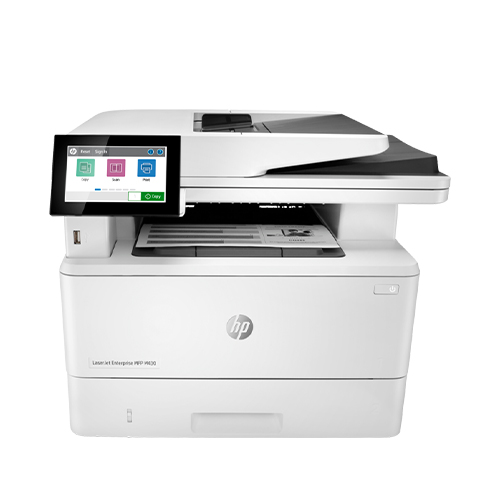 |  |  | 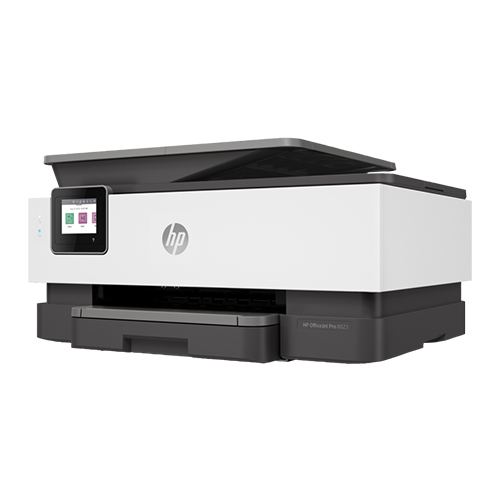 | ||
| SKU | ||||||||
| Rating | ||||||||
| Price | ₦680,000.00 | ₦130,000.00 | ₦880,000.00 | ₦5,550,000.00 | ₦4,590,000.00 | ₦295,000.00 | ||
| Stock | ||||||||
| Availability | ||||||||
| Add to cart | ||||||||
| Description | Print Cartridges/Bottle, Number
1 (black)
Print quality black (best)
Black: Up to 600 x 600 dpi Color:
Print Resolution Technologies
600 x 600 dpi; 600 x 400 dpi
Recommended monthly page volume
250-2500 HP recommends that the number of printed pages per month be within the stated range for optimum device performance, based on factors including supplies replacement intervals and device life over an extended warranty period.
Processor speed
500 MHz
Print languages
PCLmS; URF; PWG
| Functions
Print, copy, scan
Multitasking supported
No
Print speed black (ISO, A4)
Up to 7.5 ppm
Recommended monthly page volume
50 to 100
Print technology
HP Thermal Inkjet
Printer drivers included
HP PCL 3 GUI
|
| Key Features
| Key Features
|
| ||
| Content | Print Cartridges/Bottle, Number
1 (black)
Print quality black (best)
Black: Up to 600 x 600 dpi Color:
Print Resolution Technologies
600 x 600 dpi; 600 x 400 dpi
Recommended monthly page volume
250-2500 HP recommends that the number of printed pages per month be within the stated range for optimum device performance, based on factors including supplies replacement intervals and device life over an extended warranty period.
Processor speed
500 MHz
Print languages
PCLmS; URF; PWG
Display
Icon LCD
Mobile printing capability
HP Smart App; Apple AirPrint™; Mopria™ Certified; Wi-Fi® Direct Printing Apple AirPrint™; HP Smart App; Mopria™ Certified; Wi-Fi® Direct Printing
Wireless capability
Yes
Connectivity, standard
Hi-Speed USB (compatible with USB 2.0 specifications; Ethernet 10/100 Base-TX; 802.11a/b/g/n (2.4/5 GHz) Wi-Fi radio
Minimum System Requirements
Microsoft® Windows® 11, 10, 2 GB available hard disk space, Internet connection, Microsoft® Internet Explorer or Edge.
Minimum System Requirements for Macintosh
Apple® macOS v10.15 Catalina, macOS v11 Big Sur, macOS v12 Monterey; 2 GB HD; Internet required
Compatible Operating Systems
Windows 11; Windows 10; macOS 10.15 Catalina; macOS 11 Big Sur; macOS 12 Monterey; Linux
Operating system (supported note)
Not supporting Windows® XP (64-bit), Windows Vista® (64-bit) and Windows 8, 8.1. Full solution software available only for Windows 10 and newer; For Windows Server 2008 R2 64-bit, 2012 64-bit, 2012 R2 64-bit, 2016 64-bit only print driver is installed. Windows RT OS for Tablets (32 & 64-bit) uses a simplified HP print driver built into the RT OS; Linux systems use in-OS HPLIP software.
Paper handling input, standard
250-sheet input tray
Maximum output capacity (sheets)
Up to 100 sheets
Duplex printing
Automatic
Media types
Plain paper, Heavy paper, Bond paper, Label, Light paper, Envelope
Paper handling input, standard
250-sheet input tray
Power
110V - 127V nominal @ +/-10% (min 99V, max 140V), 50 - 60Hz nominal +/- 3Hz (min 47Hz, max 63Hz), 220V - 240V nominal @ +/-10% (min 198V, Max 264V), 50 - 60Hz nominal +/- 3Hz (min 47Hz, max 63Hz
Power consumption
Active printing: 390w, Ready: 2.7w, Sleep: 0.51w, Manual Off: 0.05w, Auto Off/Manual On: 0.05w, Auto-Off/Wake on LAN: 0.5w [7] Power requirements are based on the country/region where the printer is sold. Do not convert operating voltages. This will damage the printer and void the product warranty. Power consumption values typically based on measurement of 115V device.
Ecolabels
Blue Angel; EPEAT® Silver registered
Sustainable impact specifications
Recyclable through HP Planet Partners; Contains post-consumer recycled plastic
Blue Angel compliant
Yes, Blue Angel DE-UZ 219—only ensured when using Original HP supplies
Recommended operating humidity range
30 to 70% RH
Acoustic power emissions (ready)
2.5 B(A)
Acoustic pressure emissions bystander (active, printing)
49 dB(A)
Quantity per pallet
EMEA/APJ: 30; AMS: 36
Count of layers in pallet
EMEA/APJ: 5; AMS:6
What's in the box
HP Black Original LaserJet Tank Imaging Drum, Power Cord, Setup Guide, Reference Guide, Regulatory/Support Flyers, CD (for APJ only)
What is in the box footnote
[2] HP Black Original LaserJet Tank Imaging Drum (introductory ~5,000 page black toner yield provided). For yield information included with your printer, see http://www.hp.com/go/toneryield. Yield values measured in accordance with ISO/IEC 19752 and continuous printing. Actual yields vary considerably based on images printed and other factors.
What is in the box footnote number
[2]
Cable included
Yes, 1 USB Cable (all region)
Manufacturer Warranty
One-year limited hardware warranty. For more info, please visit us at https://support.hp.com
Tech spec footnote
[1] HP Auto-On/Auto-Off Technology capabilities subject to printer and settings; may require a firmware upgrade. Requires the HP Smart app download. For details on local printing requirements see www.hp.com/go/mobileprinting. Certain features/software are available in English language only and differ between desktop and mobile applications. Subscription may be required; subscription may not be available in all countries. See details: HPSmart.com at Internet access required and must be purchased separately. HP account required for full functionality. List of supported operating systems available in app stores.
Tech spec footnote
[2] HP Black Original LaserJet Tank Imaging Drum (introductory ~5,000 page black toner yield provided). For yield information included with your printer, see http://www.hp.com/go/toneryield. Yield values measured in accordance with ISO/IEC 19752 and continuous printing. Actual yields vary considerably based on images printed and other factors.
Tech spec footnote
[3] Declared yields based on ISO/IEC 19752 and continuous printing. Actual yields vary considerably based on images printed and other factors. For details see http://www.hp.com/go/toneryield
Tech spec footnote
[4] Measured using ISO/IEC 24734 Feature Performance Test, excludes first set of test documents. For more information see http://www.hp.com/go/printerclaims. Exact speed varies depending on the system configuration, software application, driver, and document complexity.
Tech spec footnote
[5] Measured using ISO/IEC 24734, excludes first set of test documents. For more information see http://www.hp.com/go/printerclaims. Exact speed varies depending on the system configuration, software application, driver, and document complexity.
Tech spec footnote
[6] Measured using ISO/IEC 17629. For more information see http://www.hp.com/go/printerclaims. Exact speed varies depending on the system configuration, software application, driver, and document complexity.
Tech spec footnote
[7] Power requirements are based on the country/region where the printer is sold. Do not convert operating voltages. This will damage the printer and void the product warranty. Energy Star value typically based on measurement of 115V device.
Tech spec footnote
[8] Scan speeds measured from ADF. Actual processing speeds may vary depending on scan resolution, network conditions, computer performance, and application software.
Tech spec footnote
[22] Program availability varies. For details, see www.hp.com/recycle.
Tech spec footnote
[27] Post-consumer recycled is based on the definition set in the EPEAT standard for imaging equipment, IEEE 1680.2
| Functions
Print, copy, scan
Multitasking supported
No
Print speed black (ISO, A4)
Up to 7.5 ppm
Recommended monthly page volume
50 to 100
Print technology
HP Thermal Inkjet
Printer drivers included
HP PCL 3 GUI
Print quality black (best)
Black: Up to 1200 x 1200 rendered dpi Color: Up to 4800 x 1200 optimized dpi color (when printing from a computer on selected HP photo papers and 1200 input dpi)
Display
Icon LCD display
Processor speed
1.0 GHz
Print Cartridges/Bottle, Number
2 (1 each black, tri-color)
Print languages
HP PCL 3 GUI; HP PCLm (HP Apps/UPD); URF (AirPrint)
Automatic paper sensor
No
Wireless capability
Yes, built-in Wi-Fi 802.11b/g/n, 2.4 GHz single-band only
Connectivity, standard
1 Wi-Fi 802.11b/g/n; 1 Hi-Speed USB 2.0 (device)
Minimum system requirements
Windows 10, 11, : 1 GHz 32-bit (x86) or 64-bit (x64) processor, 2 GB available hard disk space, Internet connection, Internet Explorer. macOS V10.14 Mojave, macOS 10.15 Catalina, macOS 11 Big Sur, macOS 12 Monterey, macOS 13 Ventura; 2 GB HD; Internet required
Compatible operating systems
Windows 11; Windows 10; macOS 10.14 Mojave; macOS 10.15 Catalina; macOS 11 Big Sur; macOS 12 Monterey; macOS 13 Ventura; Chrome OS; macOS 14 Sonoma
Mobile printing capability
HP app; Apple AirPrint; Chrome OS [8]
Maximum Memory
64 MB DDR1, 24 MB Flash
Paper handling input, standard
60-sheet input tray
Paper handling output, standard
25-sheet output tray
Duplex printing
Manual (driver support provided)
Media types
Plain paper, Photo paper, Brochure paper, envelopes and other specialty inkjet paper
Borderless printing
No
Scanner type
Flatbed
Scan file format
JPEG, TIFF, PDF, BMP, PNG
Scan resolution, optical
Up to 1200 dpi
Bit depth
24-bit
Automatic document feeder capacity
No
Digital sending standard features
No
Scan input modes
Front-panel Copy buttons, HP Smart sortware
Copy resolution (black text)
Up to 300 x 300 dpi
Copy resolution (color text and graphics)
Up to 300 x 300 dpi
Copies, maximum
Up to 9 copies
Faxing
No
Power
Input voltage: 100 to 240 VAC (+/- 10%), 50/60 Hz (+/- 3 Hz), 350 mA. India input voltage: 200 to 240 VAC (+/- 10%), 50/60 Hz (+/- 3 Hz), 350 mA.
Power consumption
2.8 W (ready), 1.53 W (sleep), 0.3 W (auto-off), 0.3 W (off). [2] Power requirements and consumption are based on the country/region where the printer is sold. Do not convert operating voltages. This will damage the printer and void the product warranty.
Sustainable impact specifications
60% post-consumer recycled plastic
Quantity per pallet
72
Count of layers in pallet
6
What's in the box
HP DeskJet IA 2875 All-in-One Printer; HP 653 Setup Black Cartridge; HP 653 Setup Tri-Color Cartridge; Regulatory flyer; Setup guide; Reference guide; Power cord [For ink volume and page yield information, visit http://hp.com/go/learnaboutsupplies]
Cable included
AP: Yes, 1.0 (USB) cable; AMS, EMEA: No, please purchase (USB) cable separately
Software included
HP Printer Software, available online
Manufacturer Warranty
One-year limited warranty. For more info please visit us at http://support.hp.com .For full terms and conditions visit: www.hp.com/go/orderdocuments .Warranty and support options vary by product, country, and local legal requirements
Tech spec footnote
[1] Dimensions vary as per configuration
Tech spec footnote
[2] Power requirements are based on the country/region where the printer is sold. Do not convert operating voltages. This will damage the printer and void the product warranty.
Tech spec footnote
[3] Speed specifications have been updated to reflect current industry testing methods.
Tech spec footnote
[4] Average based on ISO/IEC 24711 or HP testing methodology and continuous printing. Actual yield varies considerably based on content of printed pages and other factors. For details see http://hp.com/go/learnaboutsupplies
Tech spec footnote
[5] Weight vary as per configuration
Tech spec footnote
[6] Either after first page or after first set of ISO test pages. For details see http://www.hp.com/go/printerclaims
Tech spec footnote
[7] For more information about page yields for replacement cartridges see http://hp.com/go/learnaboutsupplies for setup cartridges click on Setup supplies link on the same page.
Tech spec footnote
[8] Local printing requires mobile device and printer to be on the same network or have a direct wireless connection to the printer. Wireless performance is dependent on physical environment and distance from access point. Wireless operations are compatible with 2.4 GHz operations only. Remote printing requires an Internet connection to an HP web-connected printer. App or software and HP Smart app account registration may also be required. Wireless broadband use requires separately purchased service contract for mobile devices. Check with service provider for coverage and availability in your area. Learn more at http://www.hp.com/go/mobileprinting
| Support your dynamic workteam with this high-speed smart printer, ideal for up to 10 users. HP Pro-class print speed Step up your workflow. HP Pro-class print speed reaches up to 42 ppm to meet high-demand environments. Dual-sided scanning. Scan both sides with a single pass. Dual-sided scanning allows your users to get more done in less time. Large workteam solution. Support your dynamic workteam with this high-speed smart printer, ideal for up to 10 users. HP Pro-class print speed Step up your workflow. HP Pro-class print speed reaches up to 42 ppm to meet high-demand environments. Dual-sided scanning. Scan both sides with a single pass. Dual-sided scanning allows your users to get more done in less time. Walk-up USB No PC or driver required. Print or scan on the spot from your USB drive. HP Smart. Get productivity in the palm of your hand. Print, scan, and save time with Shortcuts from HP Smart. Cloud connection Connect your HP printers. Robust features and smart tools help your people do more, wherever work happens. Smart Admin Access your printers from a single dashboard. Smart Admin guides you through setup and gives IT visibility. Self-heal Wi-Fi®. Help protect your printer. Self-heal Wi-Fi® detects anomalies and reboots automatically to prior safe state. Out-of-the-box secure. Get printer security out of the box. Preconfigured settings mean it's ready when you are. | The BP-30M35 A3 black & white device is ideal for any busy workgroup that needs high performance, high quality output and versatility; with the options and upgrades on offer making it adaptable to your future needs. It comes with a range of robust security features to keep your data and network safe including access control, data encryption and S/MIME as well as a self-healing firmware system, SSL certificate validation and a programme execution white list.<br 'source="" sans="" pro',="" sans-serif";="" font-size:="" 16px;"=""><br 'source="" sans="" pro',="" sans-serif";="" font-size:="" 16px;"="">Support for a secondary LAN (optional) provides simultaneous support for two networks whilst the Print Release function allows users to send and store documents to a main MFP, which acts as a server, allowing print jobs to be securely released at up to five connected, network-ready devices. Optional workflow enhancing features include Single-Sign-On cloud connectivity, mobile connectivity via Wi-Fi, NFC or QR Code, USB direct printing of MS Office files and OCR for scan to searchable PDF/Office.<br 'source="" sans="" pro',="" sans-serif";="" font-size:="" 16px;"=""><br 'source="" sans="" pro',="" sans-serif";="" font-size:="" 16px;"="">A 7.0-inch colour LCD touchscreen provides the ability to drag and drop frequently used icons for simple customisation of the home screen and status lamps show the MFP's status from a distance. Everyday operation is simple and intuitive; just touch, tap, pinch and spread or swipe for instant access to every feature, function and setting including an advanced preview feature.<br 'source="" sans="" pro',="" sans-serif";="" font-size:="" 16px;"=""><br 'source="" sans="" pro',="" sans-serif";="" font-size:="" 16px;"="">Print and copy speeds of up to 35 ppm in black & white and a built-in 100-sheet Reversing Single Pass Feeder with a scan speed of up to 60 ipm (one-sided, colour and black & white) help to boost efficiency and productivity. The BP-30M35 provides page after page of consistently high quality 600 x 600 dpi print resolution. A maximum paper capacity of 2,100 sheets and support for a wide range of media (up to A3 and 200 gsm) enable this device to handle varied output requirements with ease. And a space saving inner finisher (optional) automates document sorting and stapling.<br 'source="" sans="" pro',="" sans-serif";="" font-size:="" 16px;"=""><br 'source="" sans="" pro',="" sans-serif";="" font-size:="" 16px;"="">The Sharp Application Portal makes the MFP much more adaptable by providing software updates and cloud connector apps that enable agile working.<br 'source="" sans="" pro',="" sans-serif";="" font-size:="" 16px;"=""><br 'source="" sans="" pro',="" sans-serif";="" font-size:="" 16px;"="">The BP-30M35 uses Sharp's latest energy-saving technology. A rapid warm up time, low power consumption and low TEC value all aim to save money and support your environmental objectives.
Key Features
| The BP-30M31 A3 black & white device is ideal for any busy workgroup that needs high performance, high quality output and versatility; with the options and upgrades on offer making it adaptable to your future needs. It comes with a range of robust security features to keep your data and network safe including access control, data encryption and S/MIME as well as a self-healing firmware system, SSL certificate validation and a programme execution white list.<br 'source="" sans="" pro',="" sans-serif";="" font-size:="" 16px;"=""><br 'source="" sans="" pro',="" sans-serif";="" font-size:="" 16px;"="">Support for a secondary LAN (optional) provides simultaneous support for two networks whilst the Print Release function allows users to send and store documents to a main MFP, which acts as a server, allowing print jobs to be securely released at up to five connected, network-ready devices. Optional workflow enhancing features include Single-Sign-On cloud connectivity, mobile connectivity via Wi-Fi, NFC or QR Code, USB direct printing of MS Office files and OCR for scan to searchable PDF/Office.<br 'source="" sans="" pro',="" sans-serif";="" font-size:="" 16px;"=""><br 'source="" sans="" pro',="" sans-serif";="" font-size:="" 16px;"="">A 7.0-inch colour LCD touchscreen provides the ability to drag and drop frequently used icons for simple customisation of the home screen and status lamps show the MFP's status from a distance. Everyday operation is simple and intuitive; just touch, tap, pinch and spread or swipe for instant access to every feature, function and setting including an advanced preview feature.<br 'source="" sans="" pro',="" sans-serif";="" font-size:="" 16px;"=""><br 'source="" sans="" pro',="" sans-serif";="" font-size:="" 16px;"="">Print and copy speeds of up to 31 ppm in black & white and a built-in 100-sheet Reversing Single Pass Feeder with a scan speed of up to 60 ipm (one-sided, colour and black & white) help to boost efficiency and productivity. The BP-30M31 provides page after page of consistently high quality 600 x 600 dpi print resolution. A maximum paper capacity of 2,100 sheets and support for a wide range of media (up to A3 and 200 gsm) enable this device to handle varied output requirements with ease. And a space saving inner finisher (optional) automates document sorting and stapling.<br 'source="" sans="" pro',="" sans-serif";="" font-size:="" 16px;"=""><br 'source="" sans="" pro',="" sans-serif";="" font-size:="" 16px;"="">The Sharp Application Portal makes the MFP much more adaptable by providing software updates and cloud connector apps that enable agile working.<br 'source="" sans="" pro',="" sans-serif";="" font-size:="" 16px;"=""><br 'source="" sans="" pro',="" sans-serif";="" font-size:="" 16px;"="">The BP-30M31 uses Sharp's latest energy-saving technology. A rapid warm up time, low power consumption and low TEC value all aim to save money and support your environmental objectives.
Key Features
| A revolutionary smart printer that works the way you need it. Help save time with Smart Tasks shortcuts. Get automatic two-sided printing and scanning, seamless connections, and best-in-class security. Print and scan from your phone.
Dynamic security enabled printer. Only intended to be used with cartridges using an HP original chip. Cartridges using a non-HP chip may not work, and those that work today may not work in the future.
Functions
| ||
| Weight | N/A | N/A | 12.7 kg | N/A | N/A | N/A | ||
| Dimensions | N/A | N/A | N/A | N/A | N/A | N/A | ||
| Additional information |
| |||||||
| Sold | 0 | 0 | 0 | 0 | 0 | 0 | ||
| Shipping |


Rating & Review
There are no reviews yet.